Showing posts with label Ignite. Show all posts

Saturday, November 30, 2024

Microsoft Ignite 2024 - My Key Highlights


Last week was the annual Microsoft Ignite conference in Chicago. In this blog, I will take you through my most important highlights of the sessions.

Fabric SQL Database (Preview): The future of SQL in the cloud

Let's get straight to the point with the biggest announcement: Fabric SQL Database

SQL Database in Microsoft Fabric is a developer-friendly, transactional database, based on Azure SQL Database, with which you can easily create an operational (OLTP) database in Fabric. In addition to the Fabric Lakehouse and the Warehouse, you now also have an efficient SaaS SQL database at your disposal as a developer with the performance of a transactional database and under the hood a(n extra) storage that is optimized for analytical purposes (Delta Parquet).

SQL Database in Fabric is:

  • The home of OLTP workloads in Fabric
  • Easy to configure and manage
  • Set up for analytics by automatically replicating data to OneLake in near-real-time
  • Based on the underlying technology of Mirroring in Fabric
  • Under the hood, the same as Azure SQL Database, plus you have a web-based editor in the Fabric portal
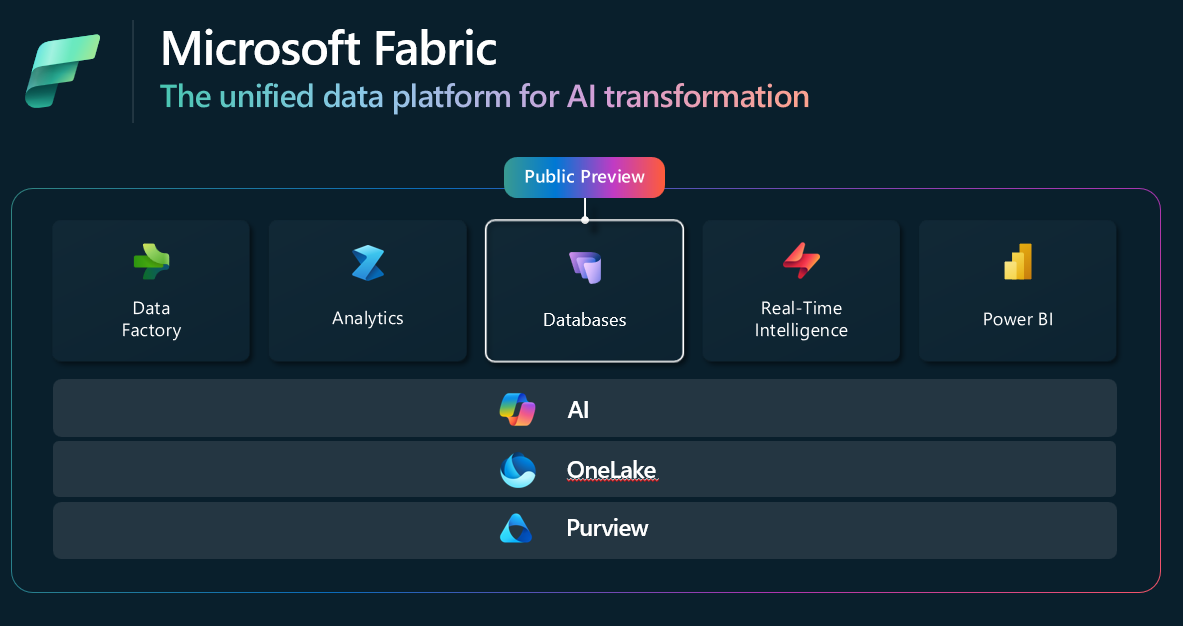
Fabric


With the introduction of Fabric SQL Database, Microsoft is taking traditional database management to a new level:
  • Simple and secure architecture: Automated management and scaling optimizations
  • Source control integration and CI/CD support: Essential for modern DevOps processes
  • Capacity billing: Pausable compute resources ensure cost efficiency
  • Unique cross-platform capabilities: Perform JOINs across databases, warehouses, and lakehouses
In addition to SQL Database in Fabric, the next version of SQL Server was also announced: SQL Server 2025. It is currently in Private Preview. It also supports mirroring to Fabric.

Metrics Hub: Standardized Metric management in Fabric (Preview)

The introduction of the Metrics Hub in Fabric is a new standard in how organizations define, track, and share KPIs. This new approach integrates seamlessly with Power BI and provides centralized management for metrics, enabling consistency and better collaboration. You might be thinking, this sounds familiar? You are! 😊 First there was Metrics, then Goals, and now the Metrics Hub where you can create Metric sets.
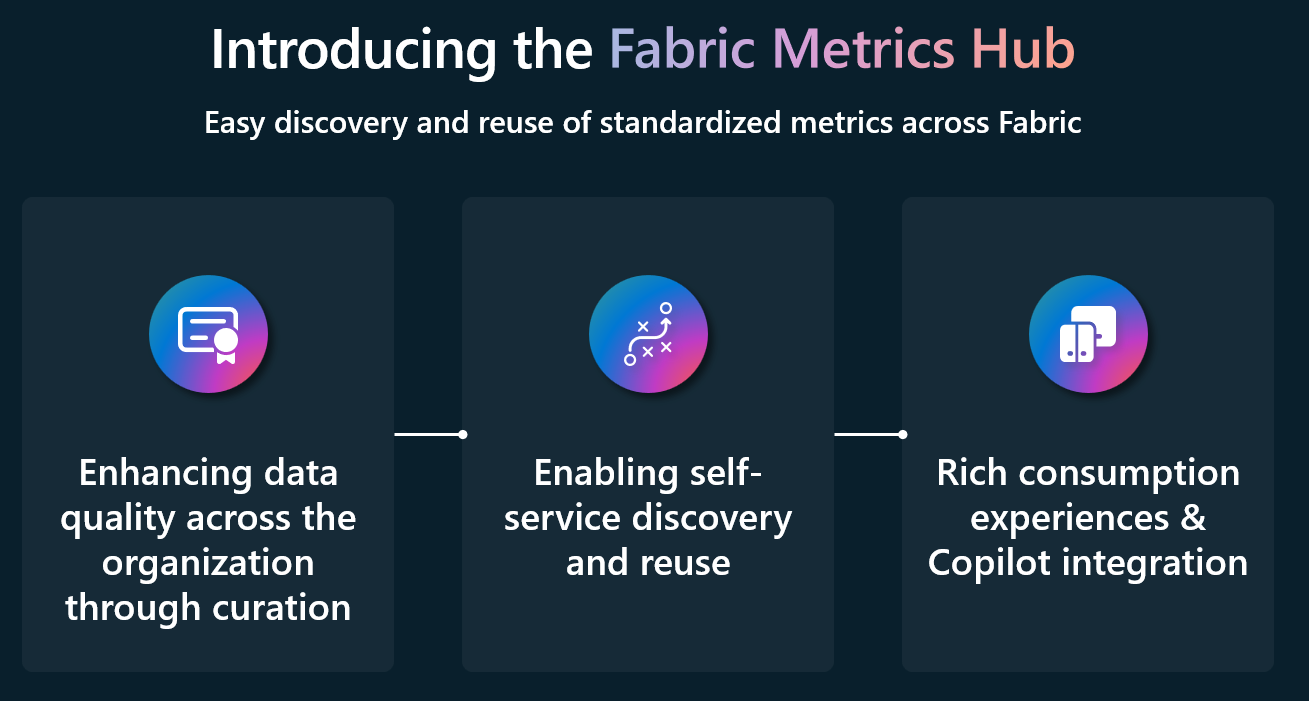
Fabric Metrics Hub


The advantage of being able to create and share metrics centrally is that you still have that one single version of the truth. Users can then use these measures in Power BI reports. But developers and data scientists can also use them in notebooks, using Semantic Link (Labs)!

Fabric AI Capacities

There will be an option to run all AI (=Copilot) compute on a separate capacity, so that other Fabric workloads are not affected by the use of Copilot. You still need at least an F64, and it's not available in all Azure regions, so be sure to check the Copilot FAQ for all your questions.

Fabric Org Apps

Org apps is a new item in your workspace, which now allows you to create an app as you did before by publishing an App in your workspace. One of the benefits of this is that you can create multiple Org apps per workspace!

In addition, you can customize more things like the design and behavior of the app. However, you can still only add items from the current workspace.

It is important to know that there is a tenant setting for Org apps that you need to activate. You can also use Org apps with a trial capacity.
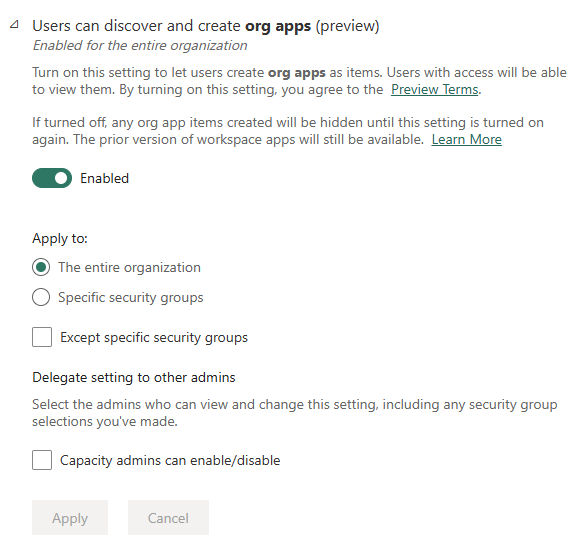
Org apps tenant settings

Some other important updates for org apps compared to workspace apps:
  • In addition to Power BI reports, you can now also add Fabric notebooks and real-time dashboards
  • The distribution of org apps has been simplified, because access to underlying items (e.g. semantic models) is also applied, even in other workspaces. Users will therefore receive read access to all items that are dependent on the items in the app. These rights will also be removed when a user is deleted. There are a few exceptions, so check this.
  • The items in an Org app are no longer a copy of the item, but the original items from the workspace
  • Check all the differences between workspace and Org apps here
This week, an extensive blog about Org apps was also published where you can find even more information.

Power BI

  • The biggest update by far: write-back with User Data Functions: native write-back integration with reusable functions and new options to link these to buttons in Power BI, with which you can update data in a source
  • In the Pipeline activity, you can now refresh a semantic model at table and partition level
  • Dataflow Gen2 updates: this item will soon also be supported in CI/CD (in source control and deployment pipelines)

OneLake

At the heart of Fabric is OneLake, a single central repository for all data, regardless of format. Some new developments:
  • Shortcuts with Iceberg tables: Direct integrations with Snowflake and other platforms
  • Mirroring: Support for Azure SQL and Snowflake (GA)
  • Cross-cloud JOINs: Analyze datasets spread across different clouds and formats: You can combine SQL Database, Lakehouses and Warehouses in one query
  • Open mirroring (preview): this allows you to write change data from any application directly into a mirrored database in Fabric. Open mirroring is based on the open Delta Lake table format
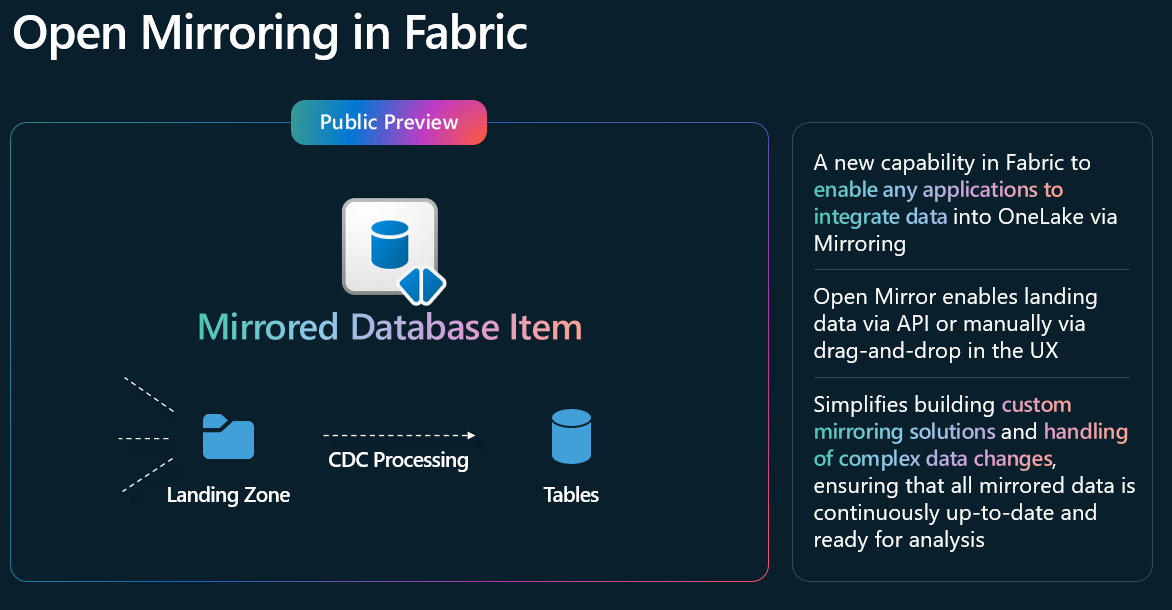
Open mirroring


Platform

  • Workspace monitoring (not to be confused with the Admin Monitoring workspace, this is intended for tenant insights): a database in your workspace that records log data and metrics about all items in that workspace. All of this is recorded in a real-time intelligence Eventhouse database. There are example queries in the Fabric samples GitHub
  • Surge protection for capacities: This capability is coming soon, and it allows you to set a cap on the background workload of a capacity. This helps to better guarantee the availability of interactive workloads (such as Power BI report usage). You can set this per capacity.
  • OneLake catalog: This is the new central hub to find, search, and use all Fabric items. You can use all available filters, including new ones like domains and tags. You can explore in-place items and view details.

Conclusion

Ignite 2024 showed that Microsoft is strongly committed to an integrated and future-oriented data platform, with AI and Copilot as a common thread. Innovations such as workspace monitoring, improved security through service principal support, and the advanced capabilities of the OneLake Catalog make it easier than ever to manage data effectively.

I believe that with these developments, the Microsoft Intelligent Data Platform is ready to support organizations in an increasingly data-intensive world.

Do you have any highlights from Ignite that I missed? Then let me know in the comments!


Items that are being worked on now and in the future are often public via the Fabric roadmap. There you can find per workload the items that will be worked on in the coming 6-12 months.

Some examples:

Wednesday, November 15, 2023

Ignite News: Microsoft Fabric is Now GA (and more)!


Over the (roughly) last 6 months we all had the ability to play with Microsoft Fabric, when it went Public Preview at Microsoft Build.

Now that the keynote of Microsoft Ignite by CEO Satya Nadella has been delivered, and also the amazing in-depth Fabric session by Amir Netz, Arun Alagaratchagan: Make your data AI ready with Microsoft Fabric and Azure Databricks. Back then at Build, Satya called it:

"...the biggest launch of a data product from Microsoft since the launch of SQL Server!"

Generally available

But now, Satya went one step further and announced GENERAL AVAILABITIY of Fabric!

Also, Copilot in Fabric is now in public preview.

More updates

There's a ton of updates inside Fabric on existing features on the latest Fabric blog here.

And there are also some exciting new features:

  • Seamlessly connect your data sources to Fabric
    The ability to create shortcuts was already there, where you virtualize data in OneLake without having to move or duplicate that data.. You can create shortcuts to another Lakehouse and Warehouse, but also to files on ADLS or even Amazon S3 or Google storage.
    The newest feature just announced is called Mirroring, where you can add and manage existing cloud data warehouses (and databases) in Fabric's Data Warehouse experience. The way this works, is like replication in SQL Server. Fabric replicates a snapshot of that database to OneLake in Delta Parquet files and keeps that in sync in near real time, which relies on the Change Data Capture feature of the underlying source. Initially it's supported for Azure Cosmos DB, Azure SQL DB and Snowflake, more sources will follow next year.
  • Copilot in Power BI (public preview)
    Just be aware that Copilot will be rolling out in stages, 
    • Smart Narrative is an existing visual in Power BI Desktop, now rebranded to Narrative with Copilot
    • The November Desktop update let's you generate synonyms for your fields, measures and tables using Copilot.
    • In the future, there's also going to be:
      • a report creation experience
      • a DAX writing experience
  • Direct Lake support on Data Warehouse
    There's also an update on the size limits of your Fabric capacity and when it will fallback to Direct Query.
  • Stored credentials for Direct Lake semantic model
    You can now specify a fixed identity (like a service principal) for a Direct Lake mode semantic model
  • Pricing on Fabric is updated!
    Reserved pricing is now available, with a rough discount of around 41% off of Pay-As-You-Go pricing.
  • OneLake integration for Import-mode semantic models is coming!
    This allows for a seamless (at least that's what Microsoft claims 😄) integration for your import Power BI Desktop models into OneLake. I wonder if this also implies that you can convert your import report to a Direct Lake mode model afterwards. It's not totally clear to me at this point.
[update on November 16th]

Conclusion

Will I now go all-in on Fabric? "It depends", but probably not 😀
I think it still depends on a case per case basis. Is it a newish customer with not too many investments in other data platform services like Synapse/Data Factory. Then it makes sense to evaluate the requirements and see if it's worthwhile to start with Fabric, considering a lot of features are still in preview, and others are not there yet.
On the other hand, if it's an existing customer with real estate in Synapse and databricks for example, where they implemented a medaillon structure and have infrastructure running there, I'd seriously reconsider if it's worth moving to Fabric. I'm leaning towards a no for now.


Keep a look out on the official Fabric and Power BI blogs and Microsoft Learn for all new content:


I'm updating this post live while the updates are rolling out, so come back later for more updates!😀

Wednesday, September 23, 2020

#MSIgnite 2020 - Power BI Recap

While there were several issues with the first sessions having no video, there was still a lot of excitement around all the announcements being made at Ignite! And luckily we can re-watch those sessions!


As I watched the sessions I made some notes, I cleaned them up a bit and thought I'd share them for anyone that likes to read up.

It's in no way a full update on Power BI related news, but highlights I found interesting. If you think I missed something that should be here, please let me know.

It's full of links to read more, also sometimes [Sessions] are linked where you can have a look yourself!

Enjoy! :-)


Icon or logo

So, what do you think about the new Logo? Or is it an Icon, or a …? :-)


Power BI Desktop September updates


Smart Narratives (September Desktop release)

Search capability for workspaces when publishing a report from Power BI Desktop
A small step for the Power BI team, a giant leap for the #pbifamily! :-)

Visual data preparation (coming soon) in Power Query: I'm really looking forward to this one!


Sessions

  • Power BI Service (with the whole left-side menu) rendered inside Teams
  • Create quick reports by copy-pasting data


Power BI Premium Gen2


Wow, am I excited about this one! Of course we use Premium, so that's obvious, but also the announcement of Premium Per User is very exciting!


  • Power BI Premium Gen 2
    • Faster processing of refreshes
    • No concurrency limitation
    • No cumulative memory limitation, so each refresh can take up 25GB of RAM (for a P1)!
  • Premium Per User, available at no cost during public preview, no price announced yet
  • Autoscale (optional feature)
    • Add (paid) vCores for at least 24h
    • Billed through Azure subscription
    • Set limits to control cost
  • Cost-management on a workspace level
    • Utilization breakdown
Have a look at the Power BI blog where Chris Finlan answers the most common questions around Power BI Premium Per User lincensing!

Deployment pipelines

This feature goes GA: read the GA blog, with an important excerpt:
  • Using deployment pipelines, you can make updates to a model with incremental refresh configured, and deploy it to production, while retaining both data and partitions!
    *Only Datasets with the ‘Enhanced metadata format’ switch turned on
So, what else is coming? For example, Paginated reports and Dataflows will be supported with deployment pipelines in a later stadium. 

For all updates, I suggest you check the Power BI roadmap wave 2 release notes!

Free Certification exam

And of course, if you are attending Ignite, and complete at least one collection in the Microsoft Ignite Cloud Skills Challenge, you are eligible for a FREE certification exam! Have a look here for the details: Cloud Skills Challenge


Other interesting sessions still to watch:


And if you want to have a complete overview of what has happened at Ignite, not only Power BI, you should read the Ignite Book of News!

Featured Post

Power Apps or Translytical Task Flows?

I think I have gotten this question at least five or six times in the last few months, and with Translytical Task Flows reaching GA in the M...